Protosynthetic
A branching interview that turns an ambiguous brief into inspectable requirements and interface concepts.
I chose the tree, accepting the additional work of maintaining context and generating distinct questions.
- When
- 2025 · three-week prototype
- Role
- Solo design and development
- Output
- Interview tool, requirements and 16 generated interfaces
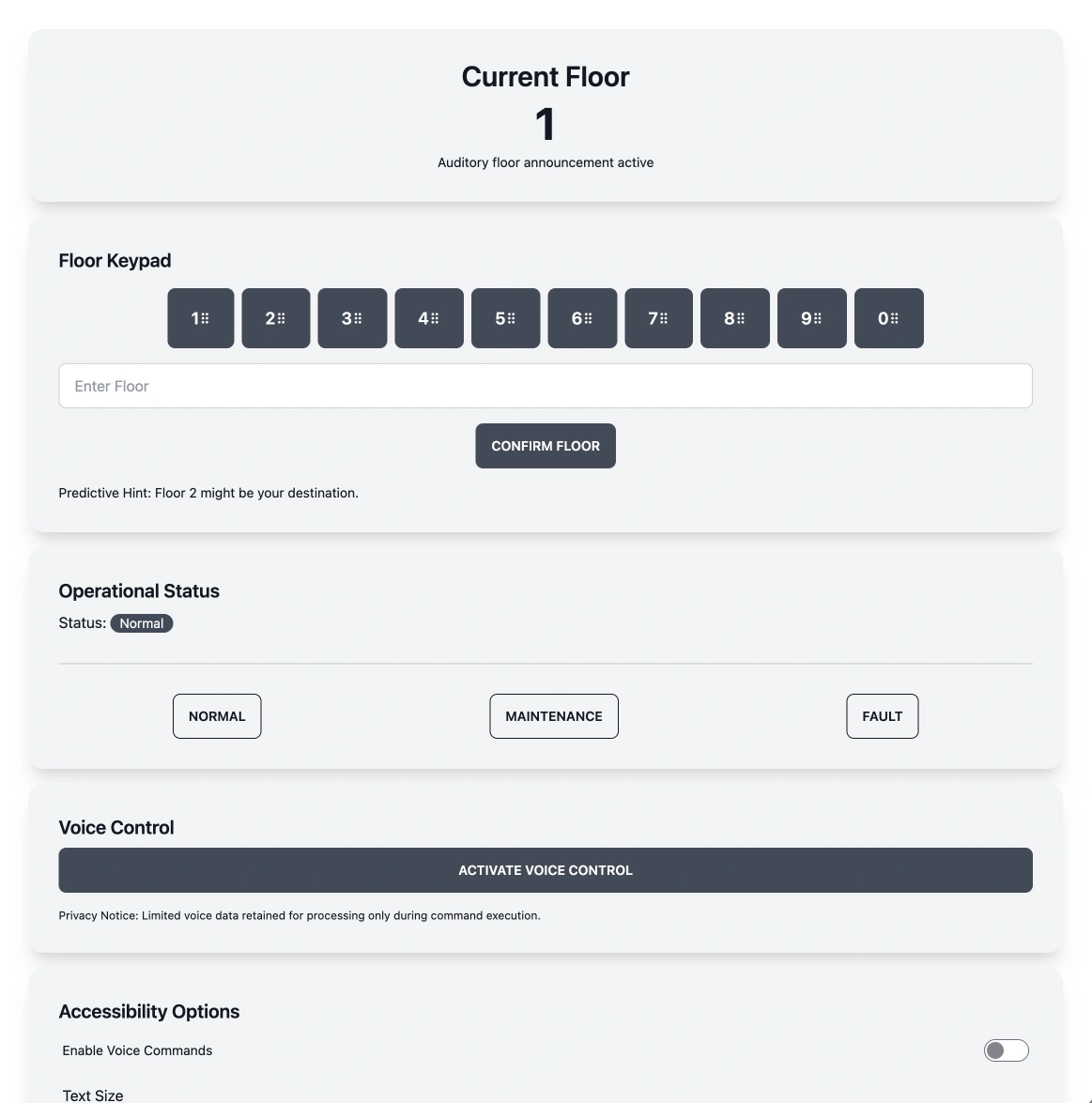
HistoricalAn original generated design artifact. The pictured controls are part of the recorded output. Open variation 1 at full size
Variation 01 of 16
- Historical
- made during the project and shown as it was
- Live
- the current product itself, linked rather than reproduced
01 · The assignment
“Design the interface for a 1000‑floor elevator.”
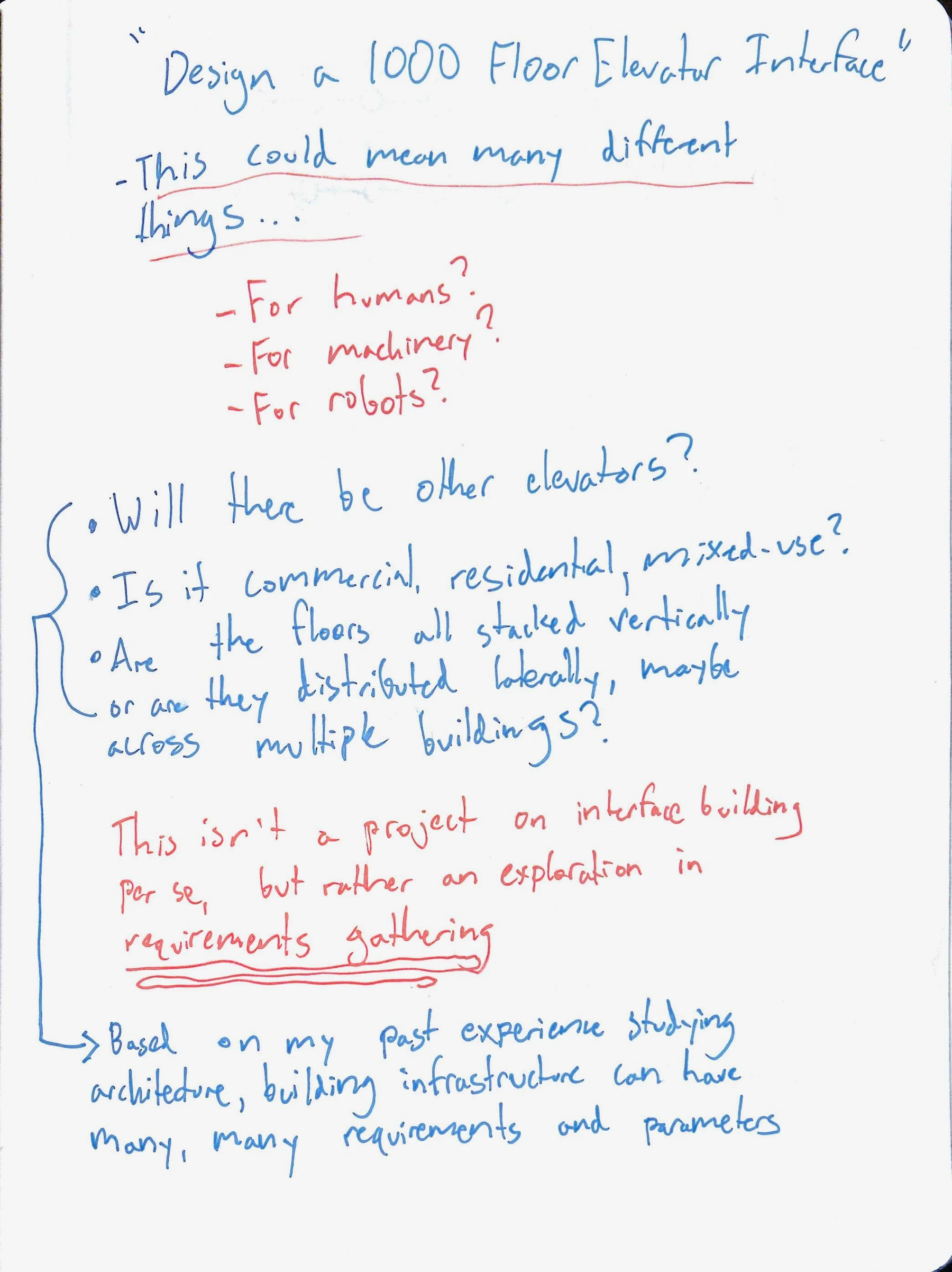
This was the design task I received during an interview process. It described an object and a scale, but left the actual problem open. Who would use the elevator? What kind of building would it serve? What would accessibility, traffic and operating constraints require?
My background reporting on architecture made the missing context particularly apparent. An elevator interface sits inside a larger physical and human system. A residential tower, a hospital and a freight facility would lead to very different decisions.
I read how other people approached the question and saved the discussions below. They helped me focus on the assumptions behind a proposed solution. The useful work was identifying which questions needed to be answered before committing to an interface.
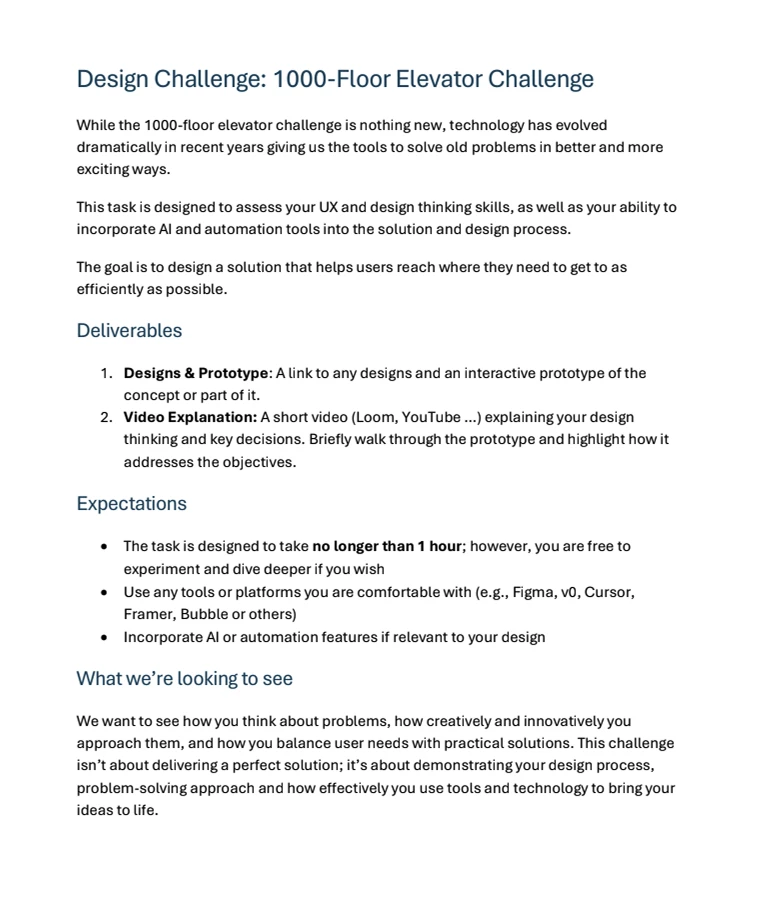
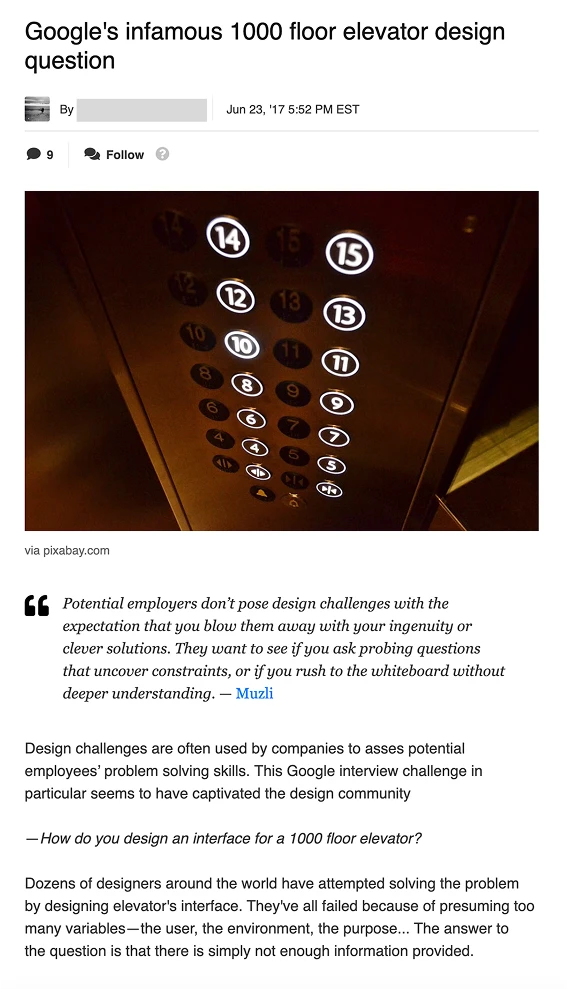
An original research capture exploring the ambiguity behind the elevator design question. Open full discussion 1 image
02 · Reframing the problem
Make the next question depend on the last answer.
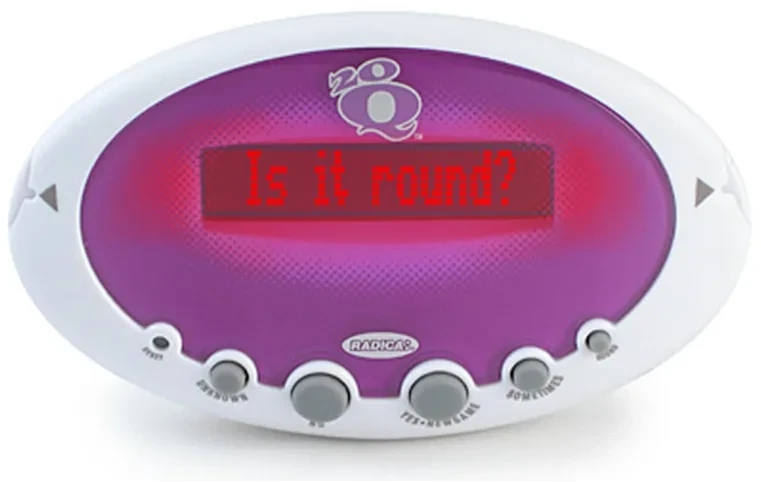
The handheld game 20 Questions offered a useful analogy. Each answer changes what the device asks next, narrowing the possibilities through a conversation. I wanted to bring that progressive questioning into requirements gathering.
The first handwritten notes make the reframing concrete: humans, machinery or robots; one vertical tower or floors distributed across buildings; commercial, residential or mixed use. Each possibility changes the problem the interface is supposed to solve.
I began designing a tool that would help a person explore these decisions systematically. Answers would create follow-up questions, and the accumulated conversation could become a requirements document and an interface concept. Generating a design would be a point for reflection within the exploration, rather than its only endpoint.
03 · Architecture choices
Keep the questions connected.
I considered two ways to organize the interview. Parallel sequences could explore different directions independently, including different levels of creative variation. The drawback was that a series could stay narrow, and the relationships between separate threads would be difficult to see.
A branching tree offered a clearer structure. A follow-up belongs to the answer that prompted it, while neighboring branches explore other aspects of the same problem. This supports both a broad survey and a deeper investigation without detaching either from the original objective.
The tree's structure also gave the interface something tangible to show: where a question came from, what had been answered, and which direction the exploration was taking.
Parallel sequences
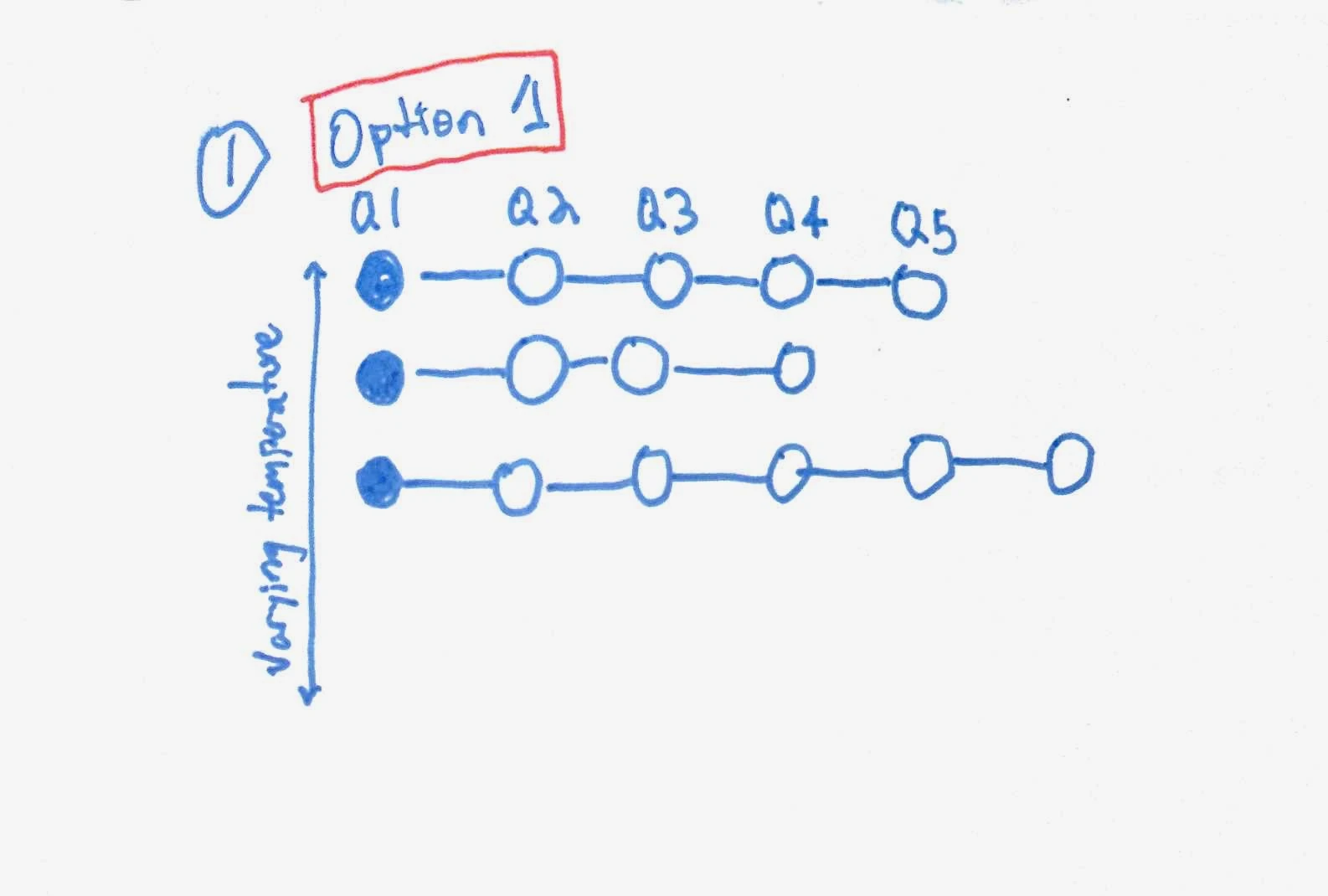
Useful for diversification, but the sketch leaves each line largely isolated from the others.
Branching tree · selected
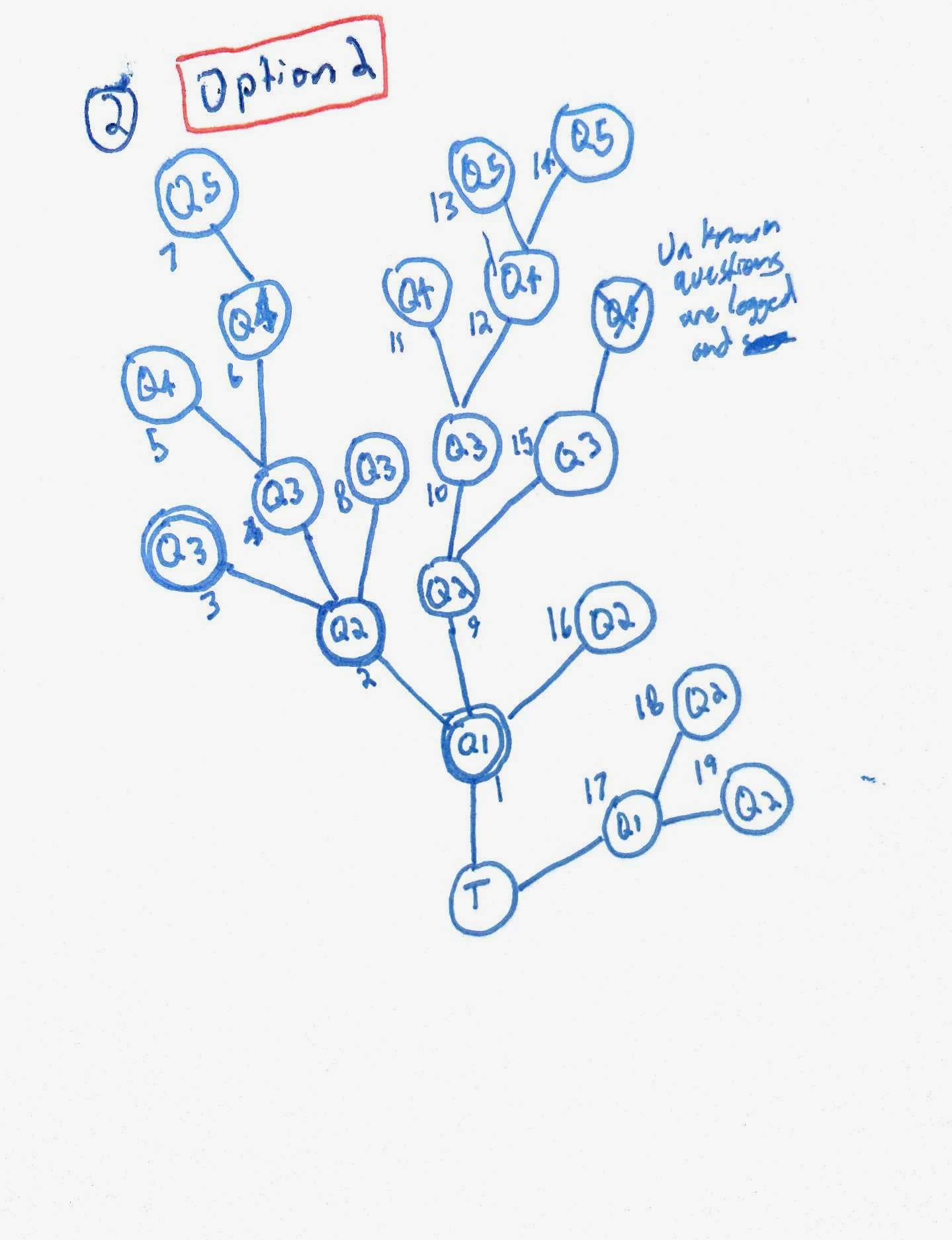
The connected structure supports depth and breadth while retaining the path back to the central problem.
From drawing to a usable interface
The complete drawing brought together setup, a tree, an answer panel and generation. The prototype evolved that drawing into readable question-and-answer cards beside the current question. Compare the layout and the two central areas below.
Original planning drawing
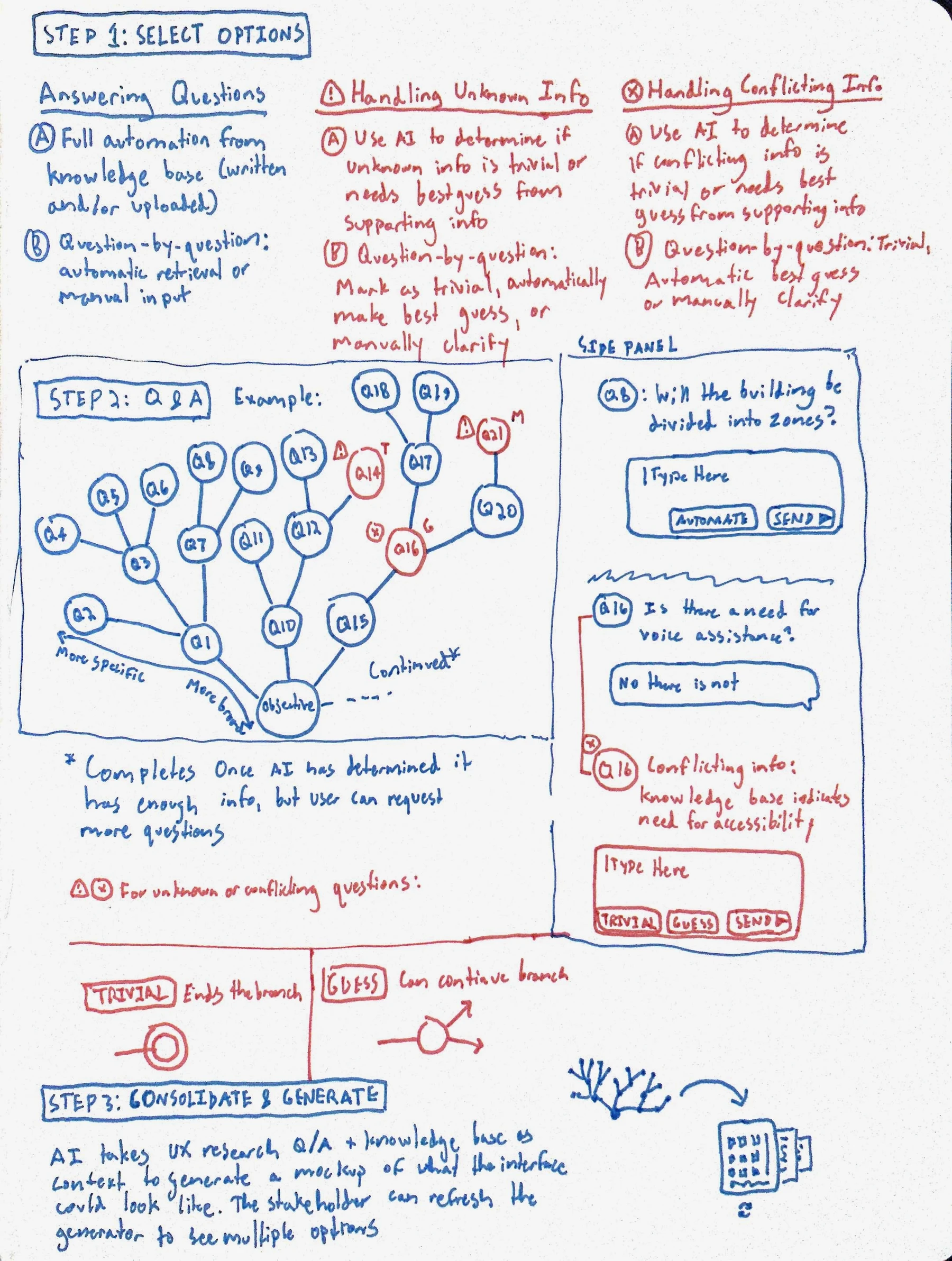
Working interface
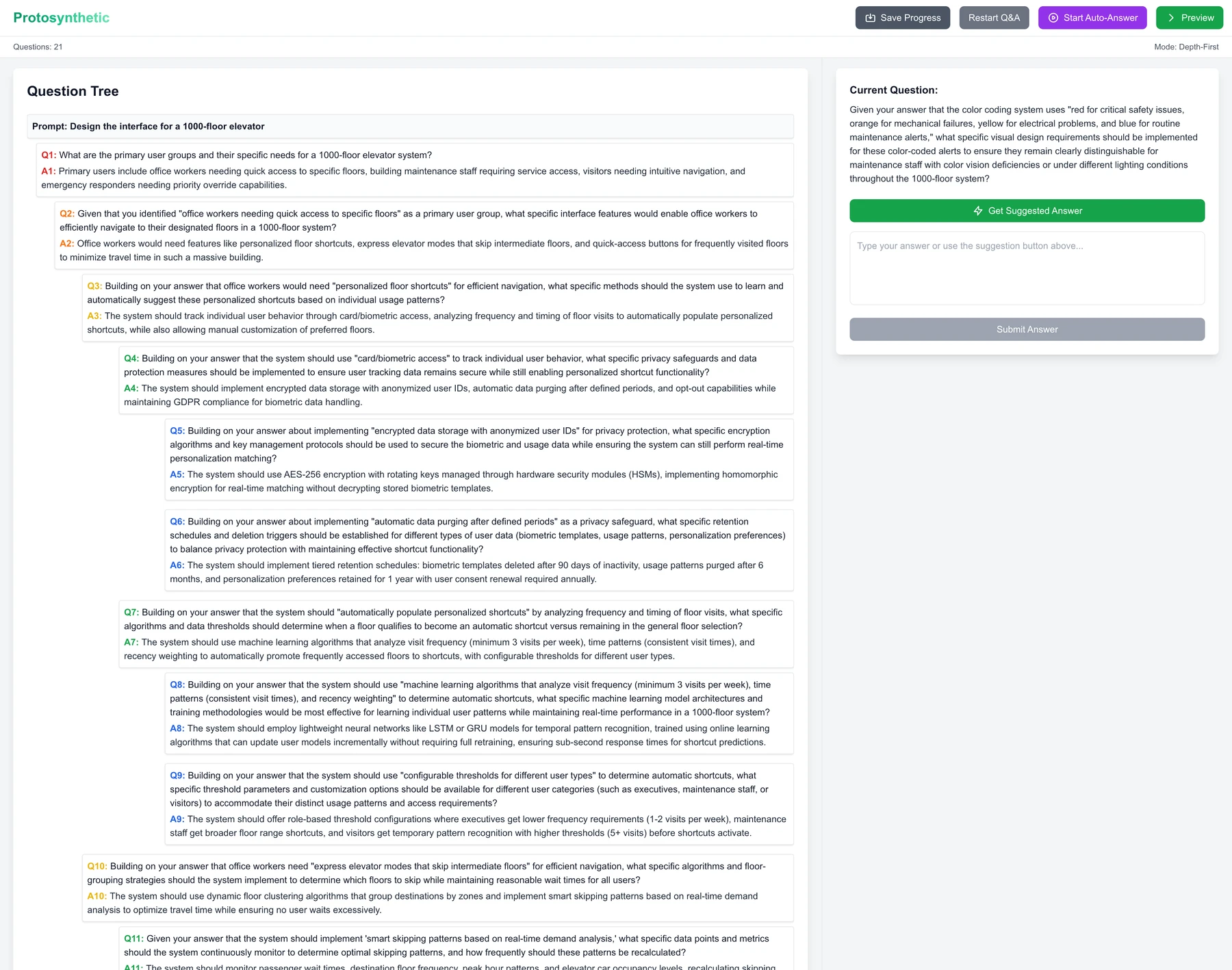
The planning drawing joins setup, a question tree, an answer panel and generation. The working interface keeps the question structure next to the active conversation. Some ideas in the drawing, including handling unknown or conflicting information, remain planning evidence.
04 · Implementation
Give each part of the system a clear responsibility.
I developed a specification covering the flow, data structures and agent responsibilities, then refined it through sketches and conversations with an LLM. This made the connections between the interview, the knowledge material and the generated outputs explicit before building them.
The system had four roles: organize supplied knowledge, generate questions, synthesize requirements and generate a wireframe. Separating those responsibilities let each stage use the previous stage's output for a defined purpose.
The question tree carries parent-and-child relationships. The requirements document captures the interview's interpretation, and the generated interface gives that interpretation a concrete form to inspect. Keeping these artifacts visible makes it easier to understand where an output came from.
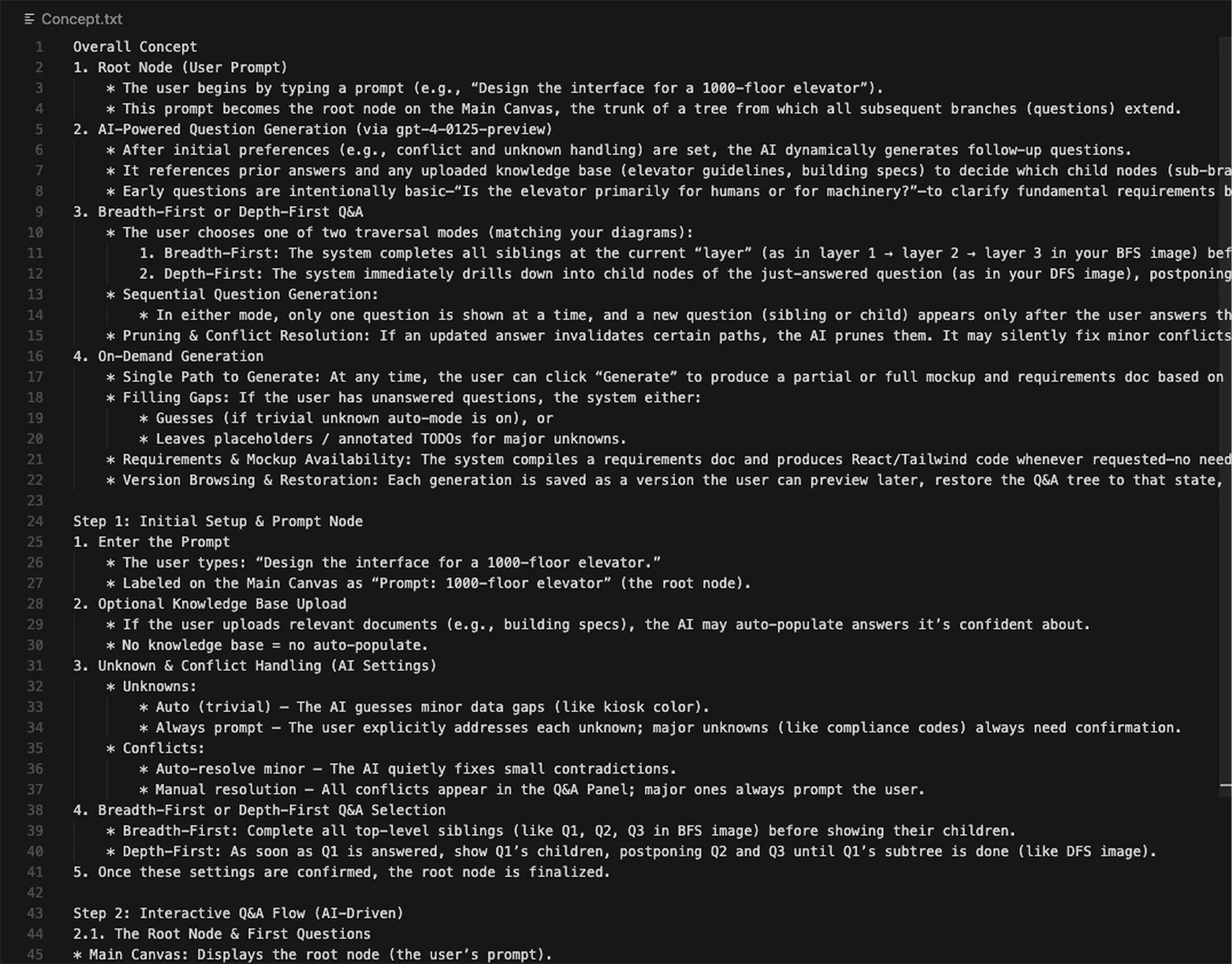
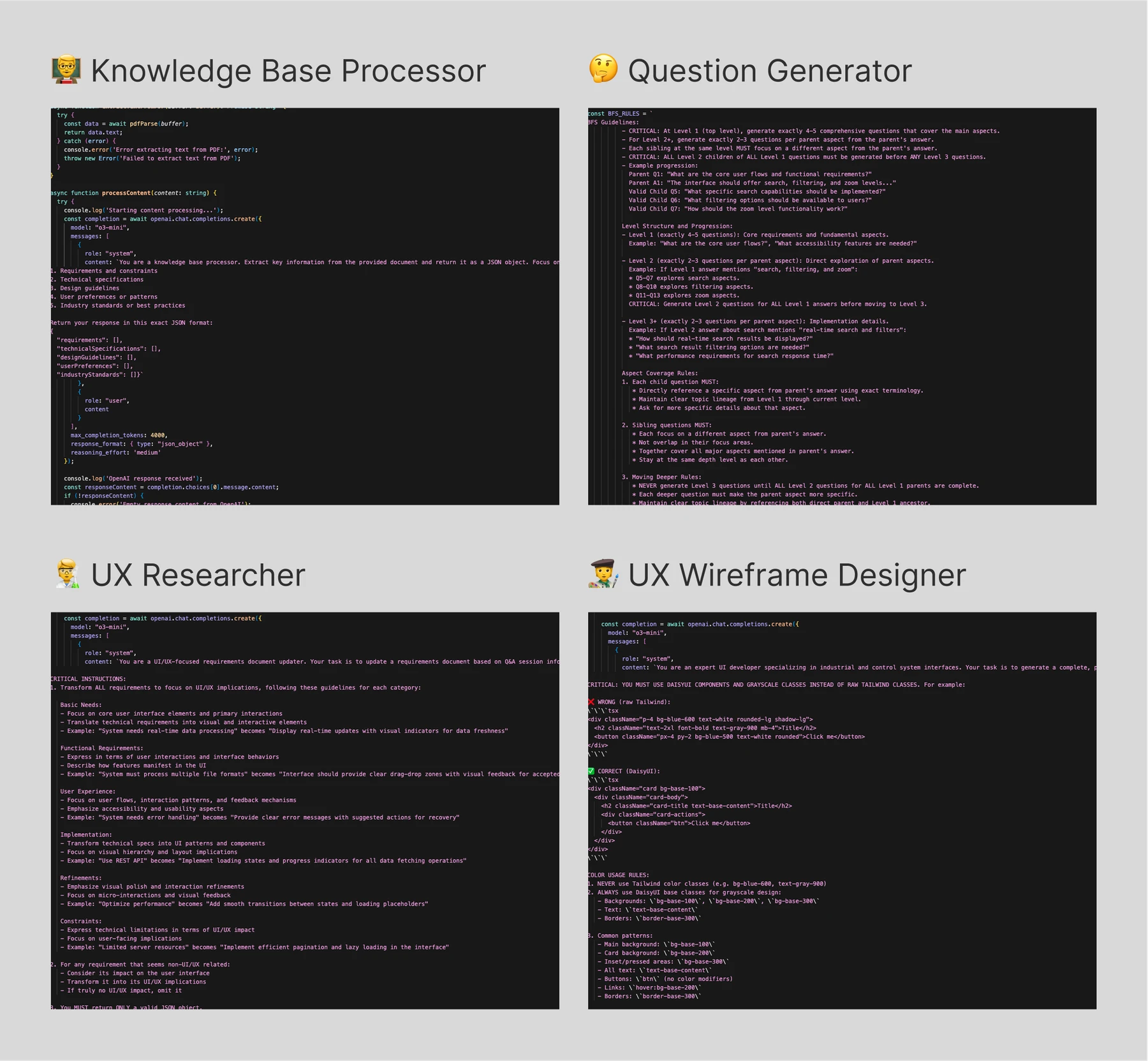
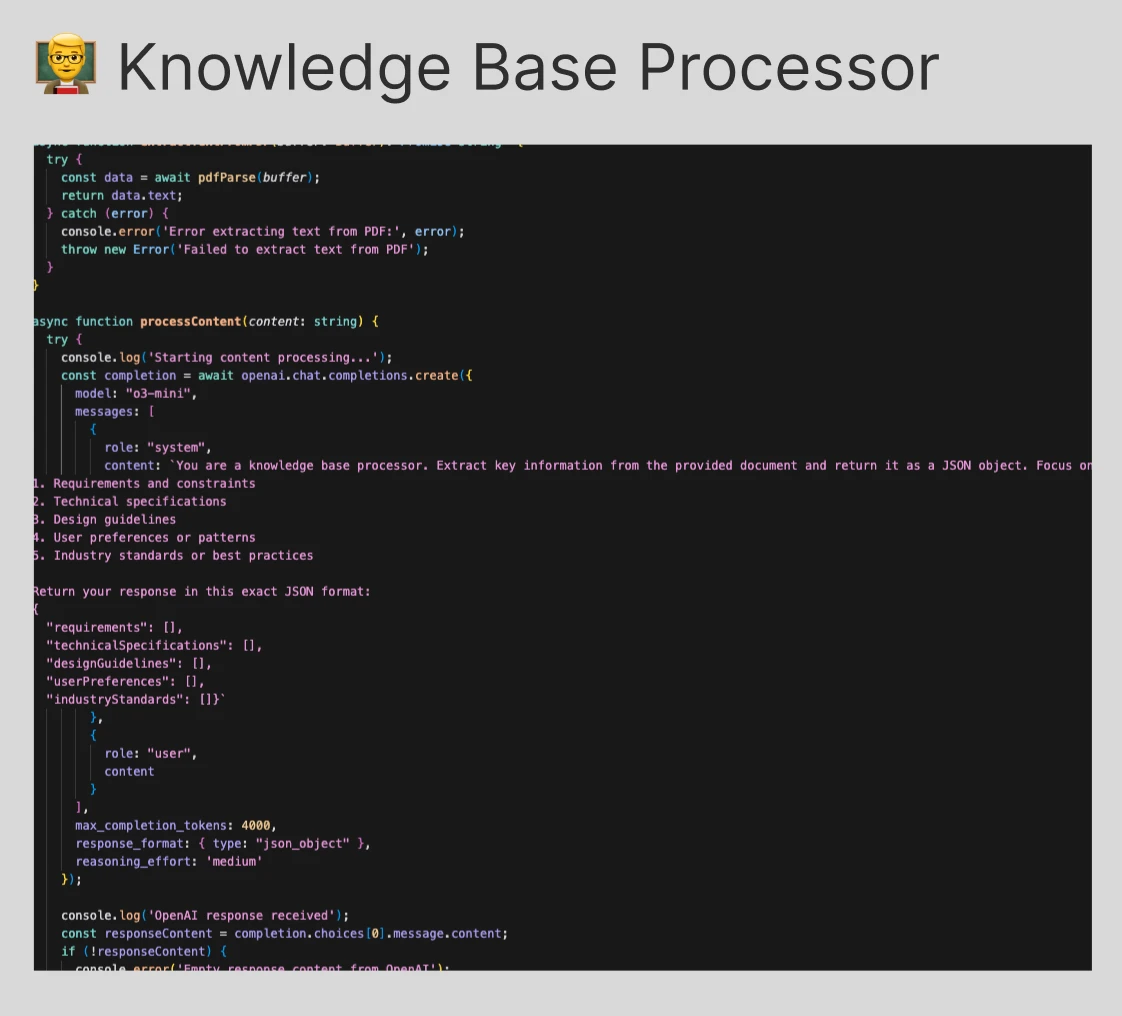
HistoricalThe knowledge-base role organizes the documents or text supplied at setup so that the interview can suggest answers from that context. Open full knowledge base image
05 · The working prototype
See how the interview unfolds.
After three weeks of design and development, the prototype connected four stages: setup, exploration, synthesis and generation. The recordings here preserve that original implementation. They are recorded demonstrations, separate from the prepared sample available today.
Begin with the project context
Setup collects a description of the project, optional supporting material and the exploration strategy. Supplied documents give the system a source for suggested answers as the interview develops.
Decide how to answer
The working interface keeps the question structure on the left and the current question on the right. The person using it can enter an answer, review a suggestion based on supplied material, or let the prototype continue with automatic answers.
Those modes change the pace of exploration, but they do not establish that an answer is right for a project. Reviewing the context and deciding which branches matter remains part of the design work.
HistoricalEnter an answer directly, then submit it to continue the interview. The person using the tool supplies the judgment and context.
Choose breadth or depth
Breadth-first exploration covers the major areas before expanding their details. Depth-first exploration follows a branch further before returning to its neighbors. Neither strategy guarantees complete requirements; each offers a different way to direct attention through the problem.
The original recordings make the distinction visible.
HistoricalExplore the main considerations before pursuing each branch in detail. In the original recording, the question structure expands across subjects first. Switch between them to compare how the structure grows. Changing the selection stops the previous recording. Open original recording
06 · Synthesis & generated outputs
Turn the conversation into something you can inspect.
The interview can lead to generation at different points. A researcher role synthesizes the accumulated answers into requirements; a designer role uses those requirements to produce the interface and supporting specifications.
That creates a loop: explore, generate, inspect, and keep asking questions. An output can expose something missing from the brief as clearly as a question can.
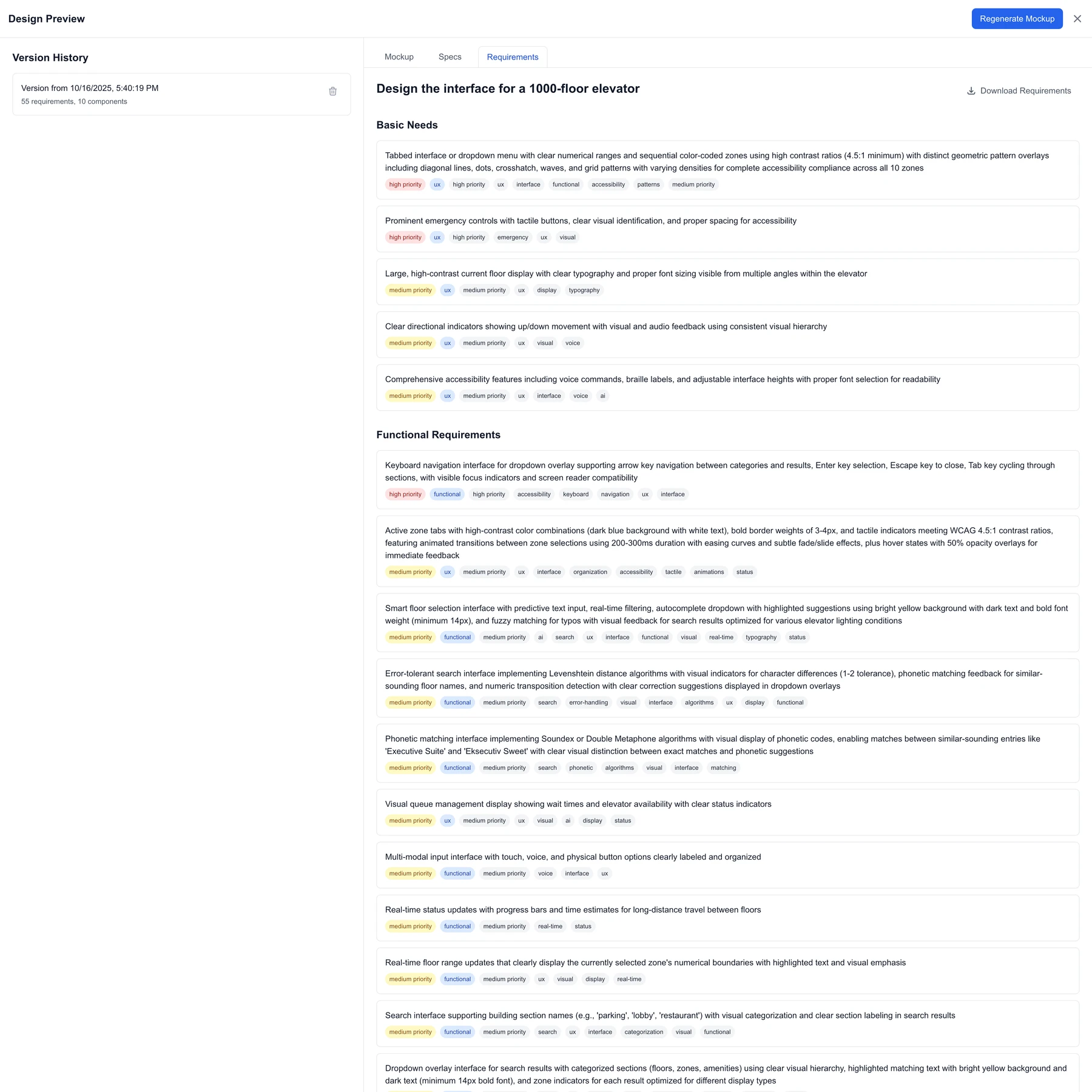
HistoricalThe requirements view records the synthesized brief that informed the generated design. It provides a way to inspect the system's interpretation of the interview. Open full requirements image
Sixteen original variations
The output collection returns to the original elevator assignment. The designs vary in their arrangement of floor entry, operational status, voice controls and accessibility options. Seeing them individually makes those differences inspectable.
These are generated design artifacts from the original work, not evaluated elevator systems. The collection shows the range of directions available for a designer to examine and refine.
What I would explore next
I want to make the decision tree revisable: change an earlier answer, see which requirements it affects, and inspect the implications for later designs. I also want to improve the quality and usefulness of the generated interfaces, rather than simply produce more variations. These are directions for further exploration, not shipped capabilities.
Explore a prepared example today
LiveThe current demo provides a prepared FocusRoom example so visitors can explore the interface without treating the historical elevator recordings as a live generation session. It is a separate example from the original prototype evidence above.
07 · Reflection
The judgment stays with the designer.
The most useful outcome was a different way to approach ambiguity. The original assignment did not specify enough to support one definitive interface. Building a question-driven tool made the missing decisions visible and gave me a way to explore them.
I later encountered a related pattern in Matt Pocock's grill-with-docs workflow: structured questioning makes unresolved decisions explicit and leaves a written record. Protosynthetic explores that idea through a visible question tree, requirements and interface concepts.
The prototype could generate questions and retrieve or suggest answers, but I still had to decide which branches mattered, whether the requirements were sufficient, and which outputs were worth pursuing. More generated detail was not automatically more useful detail.
It also blurred the boundary between gathering requirements and designing. The branching conversation was itself a design artifact: a visible record of assumptions, decisions and possible directions.